




























Les puzzles restent une activité de loisirs populaire dans toute l’Europe, offrant un mélange de créativité, de détente et de défi cognitif. Autrefois, la plupart des puzzles étaient produits en série, ce qui limitait la flexibilité des designs. Avec le développement de la technologie de découpe laser, la situation a considérablement évolué. Vous pouvez désormais transformer vos photos préférées ou vos œuvres d’art en puzzles uniques et personnalisés, avec une grande précision.
Dans ce guide, nous vous présenterons tout ce que vous devez savoir sur les puzzles découpés au laser — notamment comment choisir les bons matériaux et optimiser les réglages de gravure et de découpe. Nous vous montrerons également comment créer un puzzle en bois découpé au laser à partir d’une photo en seulement cinq étapes simples.

Dans cet article :
- Partie 1 : Présentation des puzzles découpés au laser
- 1.1 Qu’est-ce que la technologie des puzzles découpés au laser ?
- 1.2 Comment fonctionne la découpe laser pour les puzzles ?
- 1.3 Meilleures machines de gravure et de découpe laser pour puzzles
- Partie 2 : Applications des puzzles découpés au laser
- Étude de cas : Créez un puzzle en bois découpé au laser à partir d’une photo en 5 étapes 💡
- FAQ : Questions fréquentes sur les puzzles découpés au laser
Partie 1 : Présentation des puzzles découpés au laser
1.1 Qu’est-ce que la découpe laser des puzzles ?
La découpe laser de puzzles consiste à utiliser une machine de découpe laser pour créer des pièces aux formes précises et uniformes.
Comparé aux techniques de découpe traditionnelles, un faisceau laser peut produire des courbes complexes et des pièces d’emboîtement détaillées avec un haut niveau de précision. Cela permet aux créateurs de transformer des photos, des œuvres d’art ou des designs personnalisés en puzzles personnalisés dont chaque pièce s’emboîte parfaitement.
Dans toute l’UE, cette méthode est largement utilisée pour créer des puzzles personnalisés, des cadeaux créatifs et des articles destinés à une production en petite série.

Source : Groupe Facebook LaserPecker LP4
1.2 Comment fonctionne la découpe laser pour les puzzles ?
La découpe laser fonctionne en concentrant un faisceau précis sur des matériaux tels que le bois, l’acrylique ou le carton. La machine suit un fichier de conception numérique pour découper des lignes nettes et précises, formant ainsi les pièces individuelles du puzzle.
Grâce à la grande précision du faisceau, même des formes imbriquées complexes peuvent être produites sans endommager le matériau. En plus de la découpe, le même système peut graver des images, du texte ou des logos sur la surface, ce qui améliore le design global et rend chaque puzzle unique.
1.3 Machines de gravure et de découpe laser pour puzzles
Toutes les machines laser ne sont pas également adaptées à la fabrication de puzzles. Pour obtenir des résultats optimaux, il est important de choisir une machine qui combine précision, efficacité et flexibilité.
Les principaux facteurs à prendre en compte sont les suivants :
- Haute précision et stabilité : garantit un alignement constant des pièces et des bords nets
- Polyvalence des matériaux : compatible avec le bois, l’acrylique, le MDF et d’autres matériaux couramment utilisés
- Zone de travail spacieuse : permet de réaliser des formats de puzzle plus grands ou une production par lots
- Puissance laser suffisante : permet une découpe nette et efficace de divers matériaux
Concernant les types de lasers :
- Les lasers à diode constituent une solution abordable pour les matériaux plus fins tels que le contreplaqué ou le carton
- Les lasers CO₂ offrent une puissance supérieure et sont mieux adaptés aux matériaux plus épais et aux applications plus exigeantes
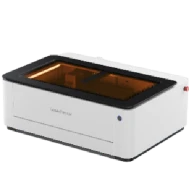
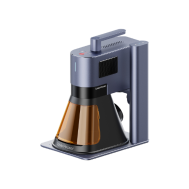
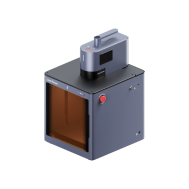
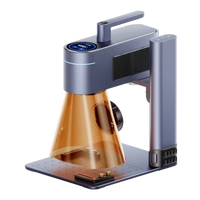
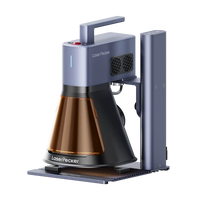
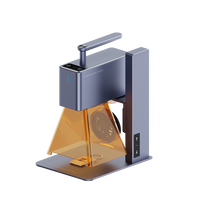
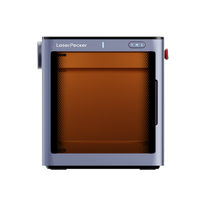
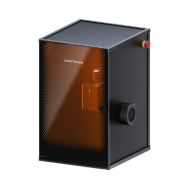
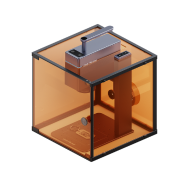
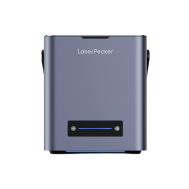
Pour les utilisateurs de toute l’UE, les machines laser à diode compactes telles que LP4, LP5, LP2 Plus, et LX2 sont couramment privilégiées pour les ateliers intérieurs, les espaces de fabrication éducatifs et les petites entreprises créatives produisant des puzzles personnalisés. Ces machines sont faciles à utiliser pour les débutants, économiques et parfaitement adaptées à la production de puzzles personnalisés, sans nécessiter d’équipement industriel.
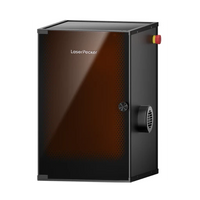
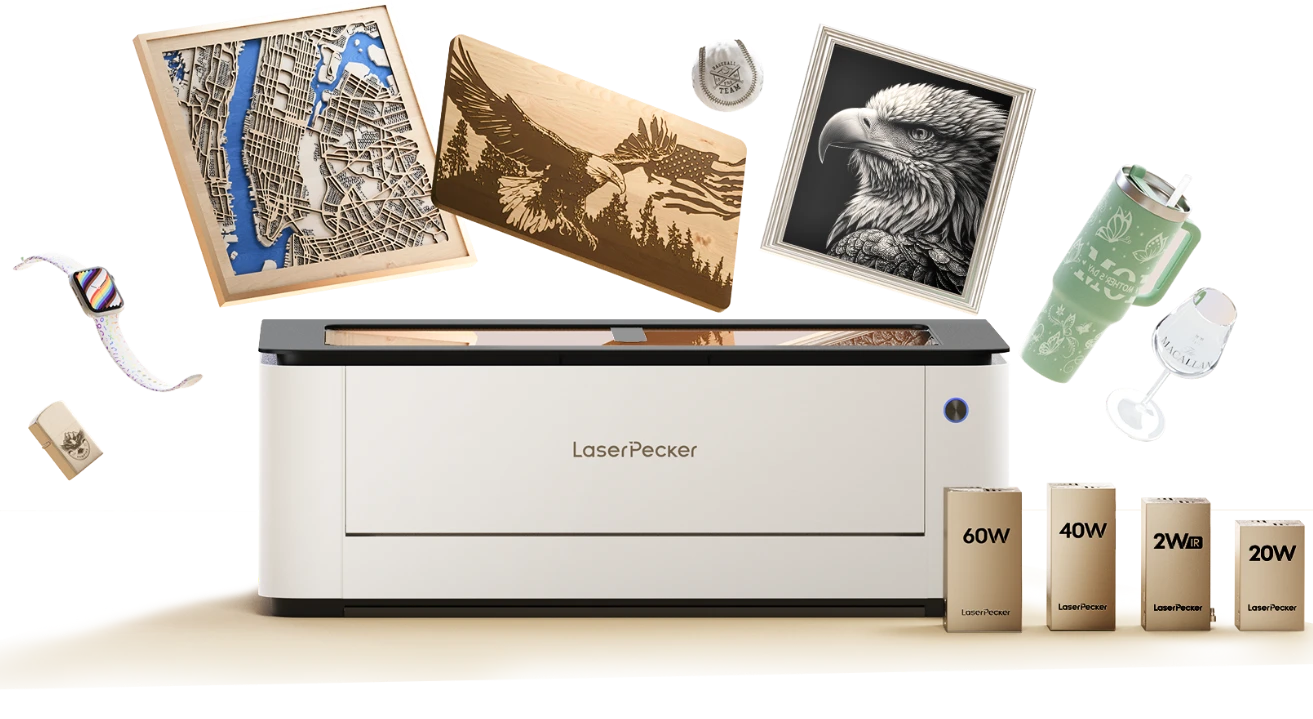
Pour les utilisateurs travaillant avec des formats de puzzle plus grands ou la production par lots de feuilles de puzzles, le LX2 offre des avantages supplémentaires grâce à sa zone de travail de 500 × 305 mm, qui permet un traitement de la mise en page plus efficace avec moins d’étapes de repositionnement. Sa compatibilité avec des modules à diode plus puissants améliore également les performances de découpe lors du travail avec des plateaux de puzzle en contreplaqué plus épais.
De plus, la certification de sécurité laser de classe 1 du LX2 le rend particulièrement adapté aux studios intérieurs, aux écoles et aux espaces de fabrication partagés dans toute l’UE, où le respect des normes de sécurité d’utilisation est souvent requis.
Partie 2 : Applications des puzzles découpés au laser
Les puzzles découpés au laser ne se limitent pas au divertissement : ils sont largement utilisés dans l’éducation, les industries créatives, le branding et la décoration intérieure partout en Europe. Grâce à la précision de la technologie de découpe laser, les puzzles peuvent être personnalisés pour une grande variété d’usages, des cadeaux personnalisés aux applications commerciales.
Outils pédagogiques
Dans toute l’UE, les puzzles sont couramment utilisés comme ressources pédagogiques pour soutenir le développement des enfants dans les domaines suivants :
- Aptitudes à résoudre les problèmes
- Capacités de mémorisation
- Coordination motrice fine
La technologie de découpe laser permet aux enseignants de créer des outils pédagogiques personnalisés, tels que :
- Puzzles d’alphabet et de langue
- Jeux de chiffres et de comptage
- Puzzles géographiques et basés sur des cartes
Ces outils sont durables, réutilisables et adaptables à différents systèmes éducatifs et groupes d’âge.
Cadeaux personnalisés
Les puzzles personnalisés à partir de photos ou d’œuvres d’art sont populaires partout en Europe pour des occasions telles que les anniversaires, les mariages et les anniversaires de mariage.
Avec la découpe laser :
- Les pièces du puzzle sont produites avec une grande précision pour s’emboîter parfaitement
- Les designs gravés ou imprimés améliorent la qualité visuelle
Cela en fait un moyen significatif et interactif de préserver les souvenirs, tout en offrant une expérience de cadeau unique.
Produits promotionnels et de marque
De nombreuses entreprises européennes utilisent des puzzles personnalisés dans le cadre de leurs stratégies marketing. En intégrant des logos ou des messages de marque dans les designs des puzzles, les entreprises peuvent créer :
- Produits promotionnels attrayants
- Expériences de marque mémorables
Par rapport aux produits promotionnels conventionnels, ces puzzles offrent davantage d’interaction et de mémorisation de la marque.
Décoration intérieure et usage artistique
Les puzzles découpés au laser peuvent également servir de pièces décoratives ou artistiques. Par exemple, un puzzle en bois terminé représentant un paysage ou une œuvre d’art peut être encadré et exposé comme décoration murale.
Les designers et les créateurs de l’UE utilisent souvent cette technique pour expérimenter :
- Motifs de découpes détaillés
- Structures artistiques superposées
- Concepts de design créatifs
Loisirs et objets de collection
Les passionnés et les collectionneurs de puzzles à travers l’Europe sont de plus en plus attirés par les modèles découpés au laser qui vont au-delà de la production de masse standard.
Ces puzzles comprennent souvent :
- Formes complexes et difficiles
- Agencements irréguliers ou artistiques
- Collections thématiques ou éditions limitées
Ces caractéristiques séduisent les amateurs qui apprécient le savoir-faire, l’originalité et la créativité.
💡 Étude de cas : créer un puzzle personnalisé en bois découpé au laser à partir d’une photo en 5 étapes
Créer un puzzle personnalisé en bois à l’aide de la découpe laser est à la fois efficace et hautement personnalisable. Dans toute l’UE, ce type de projet est populaire auprès des amateurs et des petites entreprises, car il peut généralement être réalisé en quelques heures.
Liste de contrôle de préparation pour découper un puzzle en bois à la laser
Avant de commencer, préparez les éléments suivants :
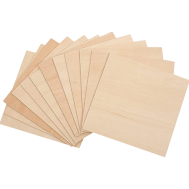
- Matériau à découper : feuille de contreplaqué de 2 mm
- Machine de découpe : découpeuse laser à diode
- Fichier de conception : modèles de puzzles, lettres ou formes personnalisées
Étape 1 : Choisir votre matériau – feuille de contreplaqué
Le choix du matériau joue un rôle essentiel pour obtenir des résultats précis et propres. Chaque matériau nécessite des réglages laser spécifiques ; la compatibilité est donc essentielle.
Dans cet exemple, le contreplaqué est utilisé en raison de ses :
- Surface de gravure lisse
- Densité uniforme
- Large disponibilité sur les marchés de l’UE
⚠️ Assurez-vous toujours que le matériau est compatible avec la découpe laser afin d’éviter les émissions nocives ou les problèmes de sécurité.

Étape 2 : Choisir la bonne machine de découpe laser pour le contreplaqué
La machine adaptée garantit à la fois efficacité et précision. Les options recommandées incluent :
- LaserPecker 4 (LP4) : idéale pour la découpe détaillée de puzzles en contreplaqué
- LP5 : adaptée aux matériaux plus épais (jusqu’à 20 mm de bois de tilleul) et compatible avec le gaufrage sur bois
- LaserPecker LX2 : avec des options de 20 W, 40 W et 60 W, conçue pour les projets de découpe de plus grande envergure
Dans l’UE, les machines laser compactes à diode sont largement choisies pour leur prix abordable et leur facilité d’utilisation à domicile ou en studio.
Étape 3 : Préparer votre design de découpe
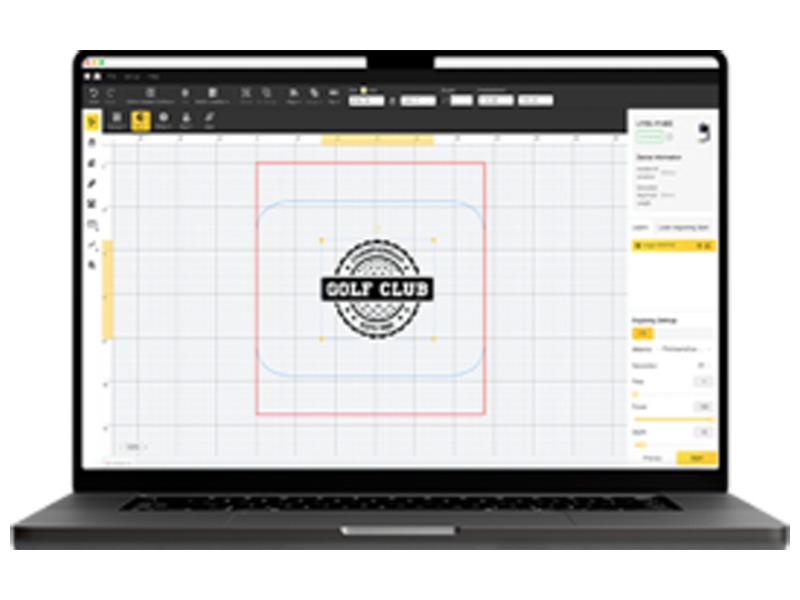
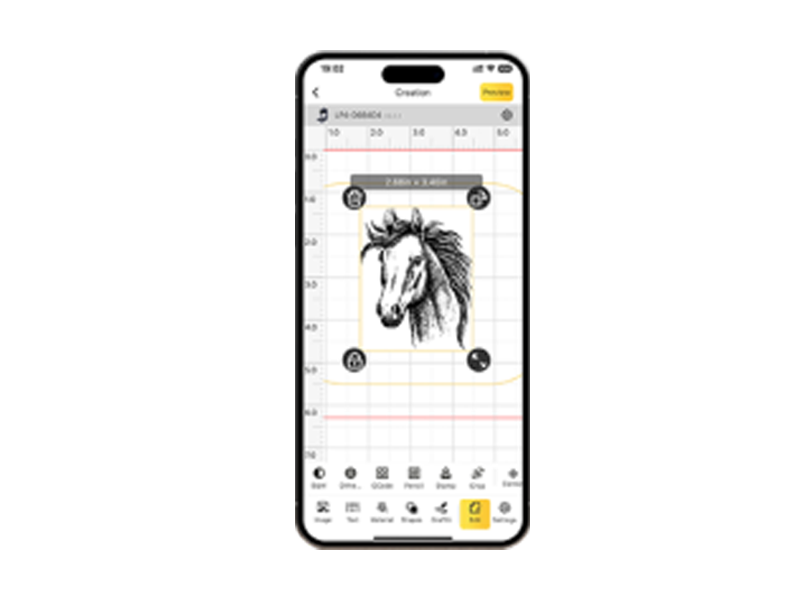
Créez ou importez votre design à l’aide d’une application ou d’un logiciel de conception graphique.
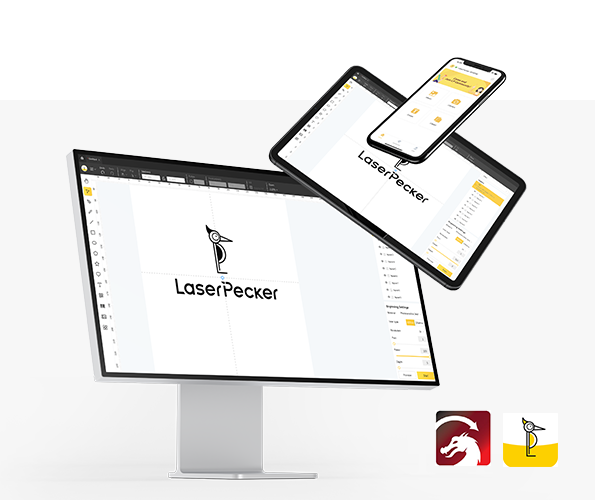
Les options incluent :
- Logiciel propriétaire de LaserPecker
- Outils tiers tels que Photoshop
Lors de la conception de votre puzzle, tenez compte des éléments suivants :
- Dimensions et nombre de pièces
- Complexité de la forme
- Qualité de l’image pour la gravure
💡 Vous pouvez également :
- Explorez LaserPecker CraftZone
- Générez en ligne un modèle de puzzle
- Achetez en ligne des fichiers de puzzles à découper au laser
Étape 4 : Configurer la machine de découpe laser pour puzzles
Suivez ces étapes pour préparer votre machine :
1. Connexion de l’appareil
- Allumez la machine
- Connectez-vous via Wi-Fi, USB ou Bluetooth
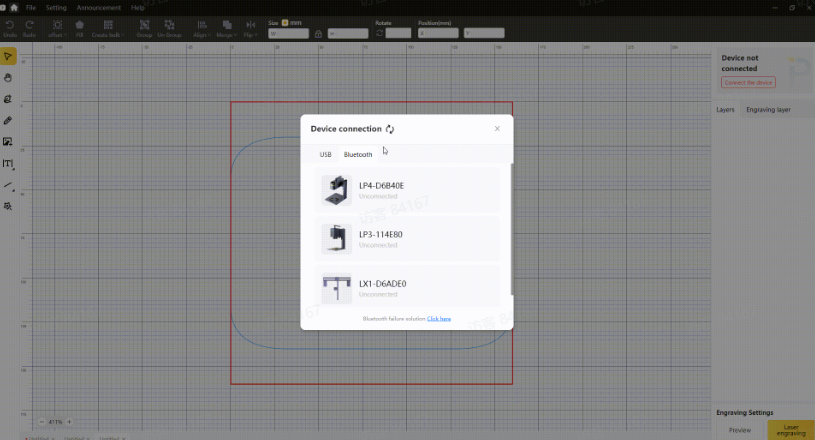
2. Importer le fichier de design
- Ouvrez le logiciel
- Importez les formats pris en charge (JPG, PNG, SVG, G-code, etc.)

3. Positionnement et aperçu
- Placez correctement le matériau
- Activez le mode aperçu
- Ajustez la mise au point et l’alignement
4. Configurer les réglages
- Ajustez la puissance, la vitesse et la résolution
- Vérifiez que le design correspond aux dimensions du matériau

Pour des résultats optimaux :
- Gravez d’abord l’image
- Découpez ensuite en suivant le contour du puzzle
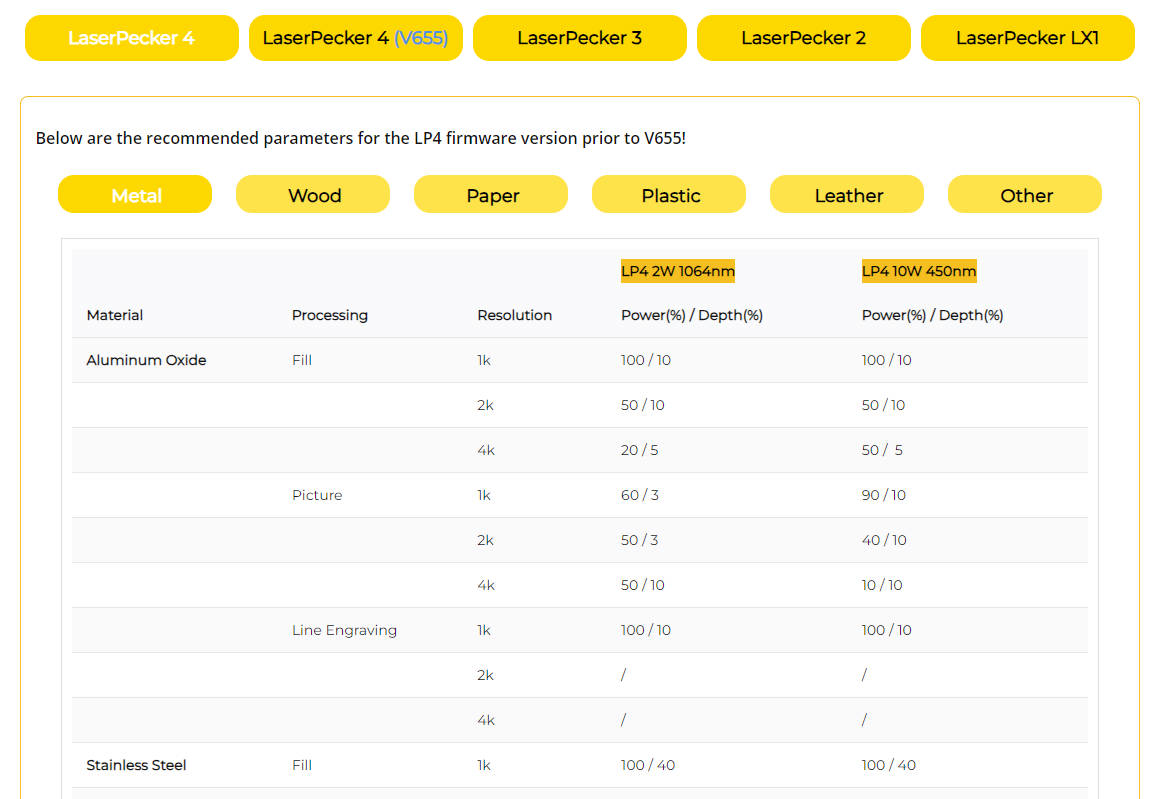
Paramètres recommandés de gravure et de découpe pour LaserPecker:
- Gravure : laser diode 10 W, 450 nm ; puissance 100 % ; profondeur 90 % ; passage 1
- Découpe : laser diode 10 W, 450 nm ; puissance 100 % ; profondeur 10 % ; passage 10
Étape 5 : Commencer la découpe de votre puzzle
Une fois tout configuré :
- Vérifiez à nouveau les réglages et le positionnement
- Lancez le processus de découpe
- Surveillez la machine pendant son fonctionnement
Après l’achèvement :
- Séparez et assemblez les pièces
- Utilisez le puzzle comme cadeau personnalisé, outil pédagogique ou objet décoratif
Conseils de sécurité
Respectez toujours les consignes de sécurité lors de l’utilisation d’une découpeuse laser :
- Portez des lunettes de protection ou utilisez des protections
- Soyez prudent face à la fumée et aux émanations pendant la découpe
- Utilisez un purificateur d’air pour maintenir un environnement de travail sûr
Pour les utilisateurs de l’UE travaillant à l’intérieur, une ventilation adéquate ou un système de purification de l’air est fortement recommandé.
FAQ : questions fréquentes sur les puzzles découpés au laser
Q1. Combien de temps faut-il pour fabriquer un puzzle en bois découpé au laser ?
Dans la plupart des cas, dans toute l’UE, la création d’un puzzle en bois prend entre 1 et 3 heures. La durée dépend de la complexité du design, du matériau et des paramètres de gravure et de découpe LaserPecker recommandés appliqués.
Q2. Quels matériaux sont les plus adaptés aux puzzles découpés au laser ?
Le contreplaqué est largement utilisé en raison de sa durabilité et de sa surface lisse, idéale pour la gravure. Il offre des résultats de découpe uniformes et est facilement disponible dans toute l’UE.
Q3. Puis-je créer un puzzle personnalisé à partir de ma propre photo ?
Oui, vous pouvez utiliser une application ou un logiciel de conception graphique pour transformer votre photo en modèle de puzzle. Les images haute résolution produiront des résultats de gravure plus nets et plus détaillés.
Q4. Quel type de découpeuse laser dois-je utiliser ?
Les découpeuses laser à diode telles que LP4, LP5 et LaserPecker LX2 conviennent parfaitement à la plupart des amateurs et des petites entreprises. Pour des matériaux plus épais ou des applications plus avancées, des machines plus puissantes peuvent être nécessaires.
Q5. Où puis-je trouver des modèles de puzzles pour la découpe laser ?
Vous pouvez soit générer un modèle de puzzle en ligne, soit acheter des fichiers de puzzles découpés au laser en ligne. De plus, des plateformes comme LaserPecker CraftZone proposent des designs prêts à l’emploi et des sources d’inspiration.
Q6. Quelles mesures de sécurité dois-je respecter lors d’une découpe laser ?
Privilégiez toujours la sécurité en portant des lunettes de protection, en assurant une ventilation adéquate et en utilisant un purificateur d’air lorsque vous travaillez à l’intérieur. Cela contribue à réduire l’exposition à la fumée et aux particules en suspension dans l’air pendant la découpe.
Conclusion
La découpe laser a transformé la manière dont les puzzles sont fabriqués, vous permettant de transformer des photos ordinaires en souvenirs interactifs et personnalisés. De la conception et de la gravure à la découpe et à l’assemblage, le processus est efficace, accessible et très gratifiant.
Un puzzle découpé au laser n’est pas seulement un jeu : c’est une œuvre d’art personnalisée qui préserve des moments précieux. Que vous le créiez pour votre plaisir personnel, une occasion spéciale ou un projet créatif, la découpe laser offre un large éventail de possibilités.
Dans toute l’UE, les machines laser à diode accessibles permettent aux amateurs et aux petites entreprises de créer facilement des puzzles originaux. Avec une touche de créativité, chaque puzzle peut refléter l’histoire et l’émotion qui se cachent derrière l’image.