


































































Laser technology has opened new creative possibilities for crafters, and one of the most exciting techniques is wood embossing. This method creates raised or sculpted textures directly onto wood using grayscale files—no chisel required. With the compatible machine and settings, you can craft intricate, dimensional designs that look hand-carved, perfect for home decor, gifts, or small business projects.
In this guide, we'll breaks down what wood embossing is, how to master how to emboss wood step by step, and all the essentials for success with LaserPecker LP5.

In this article:
- Part 1: What is Wood Embossing?
- Part 2: What Type of Wood is Best for Laser Embossing?
- Part 3: Step-by-Step Guide to Wood Embossing with LaserPecker LP5
- Part 4: Achieve a 3D Effect on Wood through Deep Laser Engraving
- Part 5: How to Properly Clean and Polish Wood After Embossing
- FAQs: Hot Questions About Stone Deep Laser Engraving
Part 1: What is Wood Embossing?
Wood embossing is a process that creates an excellent (3D) design or texture on the surface of wood.Unlike traditional engraving— which removes material for flat marks—laser embossing uses grayscale images to control the depth of the laser burn: darker areas are engraved more deeply, while lighter areas remain elevated, resulting in a sculpted 3D effect.
Compared to the traditional wood embossing method, laser embossing wood is easier and faster, and capable of delivering finer detail and more pronounced 3D effects on wooden surfaces.
Part 2: What Type of Wood is Best for Laser Embossing?
When it comes to laser embossing, the type of wood you use matters. The ideal wood types are those that engrave cleanly, evenly, and without excessive burning or resin output.
Go for:
Basswood: Soft, consistent grain, and ideal for fine detail.
Birch Plywood: – Affordable and easy to engrave.
Maple: Smooth surface and great for high-contrast embossing.
Cherry: Dense, rich grain, engraves deeply with a warm finish.
Do Not Go for:
Resin-heavy woods like pine
Softwoods
Char easily
Uneven textures
Part 3: Step-by-Step Guide to Wood Embossing with LaserPecker LP5
Step 1: Import the image into LDS. For 3D Laser embossing, a depth map image is required. You can download a depth map image from the internet, LaserPecker CraftZone or create one using third-party software.
This tutorial uses the image from the LDS software clipart as an example.

Step 2: Select the image, then in the Effects menu, choose 3D Grayscale and set either Concave engraving (deep laser engraving) or Convex engraving (laser embossing). Concave engraving refers to engraving downward directly into the pattern to create a recessed effect, while Convex engraving removes the surrounding areas of the pattern to create a raised effect.

Step 3: Choose the number of layers, and the valid range is [0–254]. The more layers, the smoother the 3D embossing and the deeper the engraving, but it will take more time. Fewer layers will result in a rougher 3D embossing and take less time.
Step 4: In the Laser engraving settings panel, you can preview the engraving area of each layer in the Layer Preview option. If the first few layers or the last few layers are completely black or white, you can adjust the number of layers to reduce engraving time.

Step 5: Adjust the image size and position as needed to ensure the engraving size matches the wood size.
Step 6: Set the engraving parameters by selecting the 450nm light source, 2K resolution, power at 70%, depth at 1%, and layer height at 0.02.
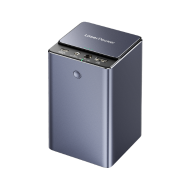
Note: Wood embossing produces dust and fumes—critical for UK indoor workshops. Pair the LP5 with the LaserPecker Desktop Air Purifier to filter emissions.
Step 7: Place the material in the appropriate position, preview the engraving, and adjust the focus. During the preview, fine-tune the material's actual position to ensure the engraving area is as centered as possible.
Step 8: Once all settings are complete, start the engraving.

Tips for embossing wood with laser
Since wood material is soft, the engraving depth can be relatively deep, it is recommended to use wood with a thickness of at least 15mm for 3D embossing. If the engraving depth is deep, you can increase the layer height setting accordingly.
After the engraving is complete, surface stains can be cleaned using bleach: mix equal parts of water and bleach, soak the wood for 5 to 10 minutes, then remove and rinse thoroughly with clean water. Once fully dried, apply a wood varnish to enhance the overall texture and give the wood a cleaner and more aesthetically pleasing appearance.
Part 4: Achieve a 3D Effect on Wood through Deep Laser Engraving
In addition to using 3D functions, deep laser engraving can also produce an impressive 3D engraving effect on wood surfaces. The key to achieving this lies in using high-contrast grayscale images. Each pixel's grayscale value (ranging from 0 to 255) determines the depth of the engraving: the lighter the color, the shallower the engraving; the darker the color, the deeper the engraving.
Generally speaking, grayscale images converted from color images often have smoother transitions and more mid-tone areas (e.g., grey). This makes it difficult for the engraver to interpret depth accurately, resulting in flatter, less defined engravings with weaker depth and layering. Therefore, high-contrast grayscale images are essential for precise engraving and creating strong 3D effects.
Here's how to achieve a 3D effect through deep laser engraving:
Step 1: Import the image into LDS. You can download images online or create them using third-party software. In this tutorial, we use a sample artwork from Craftzone.
Step 2: Select the image, then in the Effects menu, choose "Dither" effect.
Step 3: Adjust the image size and position as needed to ensure the engraving size matches the wood size.
Step 4: Set the engraving parameters by selecting the 450nm light source, 2K resolution, 30% power, 30% engraving depth, and set the engraving passes to 3. The more passes, the deeper the engraving.
Step 5: Place the material in the appropriate position, preview the engraving, and adjust the focus. During the preview, fine-tune the material's actual position to ensure the engraving area is as centered as possible.
Step 6: Once all settings are complete, start the engraving.
Step 7: During the engraving process, dust or smoke may be generated. It is recommended to place a high-speed fan near the material to maintain a clean engraving environment, preventing dust from settling on the surface and ensuring a better engraving result.
Part 5: How to Properly Clean and Polish Wood After Embossing
Once your wood embossing is complete, post-processing will help bring out the details. Follow below steps and give your project a clean, professional look.
Step 1: Light Bleach Wash
Use a basic bleach wash to lighten the wood. Don't worry—you don't need anything fancy. Just grab a bottle of regular household bleach. Pour equal parts water and bleach into a bowl, stir the mixture gently to combine, then put the engraved wood piece into the solution and let it soak for 5 to 10 minutes before rinse thoroughly under clean water to stop the bleaching process.

Step 2: Dry the Wood Completely
Place the piece in a dry, well-ventilated area and allow it to air-dry completely. This step is important—trapped moisture can affect the final finish.
Step 3: Add the Finishing Touch
Once dry, apply a light coat of wood varnish or oil using a soft brush or cloth. This enhances the natural grain of the wood and adds depth to your embossed design while protecting the surface from wear and moisture.
Pro Tips: If you're aiming for a natural, matte finish, beeswax or mineral oil also work beautifully.
Safety Notes:
For users across Europe, safety is paramount when laser engraving on leaf or other delicate materials.
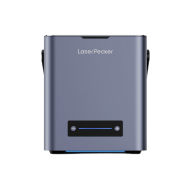
- LP2 Plus, LP2, and LP4 users: We recommend pairing your machine with the LaserPecker Standard Enclosure when operating in home or workshop settings across the eruope. This accessory enhances protection, complementing the machines' Class 4 Laser Safety compliance under guidelines.
- LP5 users: The LP5 Safety Enclosure is required for proper protection during operation. It ensures adherence to EU safety regulations, safeguarding against accidental exposure in residential or small business environments.
- LX2 users: No additional enclosure is needed. The LX2 is a Class 1 laser system, meaning it is safe to use without extra protective equipment under normal operating conditions.
Beyond laser safety, air quality is a key consideration for indoor workshops. Laser processing generates fumes and fine particles that may impact respiratory health. To meet indoor air quality guidelines and maintain a clean, safe workspace, we strongly recommend using the LaserPecker Desktop Air Purifier , particularly for enclosed or well-insulated homes and studios.
FAQs: Hot Questions about Wood Embossing
Q1. Can you emboss on wood with a laser?
Yes. Modern laser engravers like the LaserPecker LP5 can create detailed 3D effects on wood, offering better results than traditional embossing machines.
Q2. Can a diode laser emboss wood?
Absolutely. The LP5's diode laser supports embossing mode and is powerful enough (up to 20W) to engrave dimensional reliefs into soft and medium-density woods.
Q3. What is the difference between laser engraving and embossing on wood?
Laser engraving typically marks or cuts into the surface with a uniform depth.
Laser Embossing uses variable-depth engraving to create raised or recessed 3D effects, giving your design more texture and dimension.
Conclusion
Wood embossing with a laser engraver is an accessible, creative technique for UK crafters—whether you're a beginner or small business owner. With compatible machine like LaserPecker LP5, and the step-by-step guide above, you can create dimensional designs that elevate home decor, gifts, or branded merchandise.
Ready to start your laser embossing journey? Grab your LaserPecker LP5, source wood and let your creativity shine!





