
































































LaserPecker Material Settings
LaserPecker machines engrave and cut a wide range of materials—from intricate paper to durable metal. Use our material settings reference for optimal results.
Follow these steps to find your settings:
1. Choose Your Model: Select your specific LaserPecker machine (e.g., LP4, LP5, etc.) to see compatible settings.
2. Select a Material: Browse the available materials to locate the one you’re working with.
3. Review the Parameters: The data sheet will display suggested parameters, including:
Mode: (e.g., Engrave, Cut)
Power & Speed: Recommended percentages
Passes & Depth: Number of passes and expected depth.
Important Note on Fine-Tuning:
These settings have been rigorously tested by our in-house experts and serve as recommended starting points. Material characteristics (such as coating, thickness, or wood grain) can vary. You are encouraged to experiment with the power, speed, and number of passes to achieve your desired outcome.
Pick Your Model Below
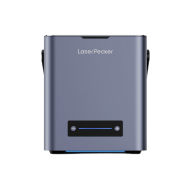
LaserPecker LP5
The Smart 20W Fiber + Diode Laser Engraver

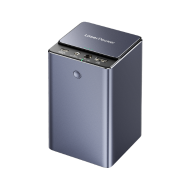
LaserPecker LP4
The World's First Dual-laser Engraver

LaserPecker LP3
Metal and Plastic Customization with IR Laser

LaserPecker LP2 Plus
Classic Handheld Diode Laser Engraver

LaserPecker LP2
Classic Handheld Diode Laser Engraver

LaserPecker LP1 Plus
Pocket Diode Laser Engraver




