


















































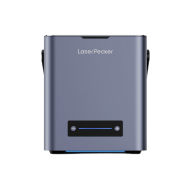
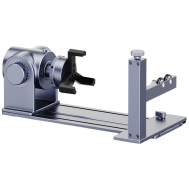
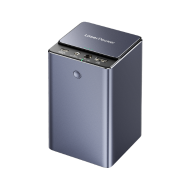
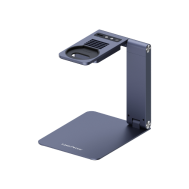
















Previously, we introduced the technique of deep laser engraving on stone and showed how the LaserPecker LP5 can engrave depth and texture into materials such as granite and marble.
In this guide, we’ll explore slate embossing — also known as 3D laser engraving on slate — a visually impressive and accessible technique that enables makers and small workshop users to create raised surface effects on natural slate with strong visual contrast and detail.
Whether you're producing decorative items, personalised pieces, or small-batch craft products, this introduction will help you understand how slate embossing works and how to achieve consistent results.

In this article:
Part 1: What Is Slate Embossing?
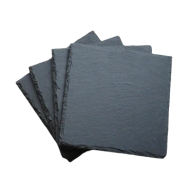
Slate embossing is a laser-based 3D engraving technique that uses a grayscale depth map to create raised or recessed designs on natural slate tiles or plaques. By varying laser intensity across grayscale values, the engraving process removes material layer by layer to produce a clear three-dimensional surface structure.
This technique usually requires multiple engraving passes to gradually shape depth and contours, creating a strong visual and tactile 3D effect. It works in a similar way to traditional embossing methods used in printing and metalworking, but with the added precision and flexibility of modern laser engraving technology.
Because slate has a naturally smooth surface, moderate softness, and excellent contrast after engraving, it is particularly suitable for:
- grayscale artwork
- logos and signage elements
- portrait-style engraving
- decorative textured surfaces
For makers and small workshop users across Europe, slate embossing is widely used for producing customised decorative items and small-batch craft pieces.
Part 2: Step-by-Step Guide to Slate Embossing with LaserPecker LP5
Follow these steps to create a precise and consistent 3D slate embossing effect using the LaserPecker LP5 and LDS software.
Step 1: Import a depth map image into LDS
A grayscale depth map image is required for 3D embossing engraving.
You can download a suitable image online or generate one using third-party design software.
In this example, a sample image from the LDS built-in clipart library is used.

Step 2: Apply the 3D Grayscale embossing effect
Select the image, then open:
Effects → 3D Grayscale
Choose one of the following embossing modes:
- Concave engraving – engraves downward into the slate surface
- Convex engraving – removes surrounding material create a raised
Convex embossing is particularly suitable for decorative items, personalised pieces, and small-batch craft production.

Step 3: Set the number of engraving layers
selct a layer value within the range 0–254.
Layer quantity directly affects surface smoothness:
- more layers produce smoother depth transitions
- fewer layers reduce engraving time
Balancing layer count helps optimise both quality and workflow efficiency.
Step 4: Use Layer Preview to optimise layer settings
Use the Layer Preview option in the engraving settings panel
If early or final layers appear fully black or white, they may not contribute meaningful engraving detail. Reducing these layers can shorten processing time without affecting visual results.

Step 5: Adjust image size and placement
Resize and align the image according to the dimensions of the slate tile or plaque.
Accurate positioning improves:
- engraving alignment
- layout symmetry
- final presentation quality
Step 6: Configure engraving parameters
Recommended LP5 settings for slate embossing include:
- 1064 nm infrared light source
- 4K resolution
- Frequency: 30
- Power: 100%
- Depth: 20%
- Layer height: 0.01
These parameters provide reliable depth control and strong engraving contrast on most engraving-grade slate materials.
Step 7: Position the material and adjust focus
Place the slate securely on the working surface.
Then:
- preview the engraving frame
- adjust focus precisely
- reposition the material if necessary
Correct focus positioning ensures consistent depth across the entire engraving area.
Step 8: Start the engraving process
After confirming all settings, begin the engraving process.
The LP5 will engrave the slate layer by layer according to the grayscale depth structure.


Optional: Offline engraving using a USB drive
Projects can also be exported for offline engraving without running LDS during operation..
Steps:
- Click File → Export as LPB
- Wait until export completes
- Wait until export completes
- Copy the LPB file to a USB flash drive
- Insert the drive into the LP5 USB port
- Connect through LDS
- Preview and start engraving
Offline workflow is useful for studio environments and small workshop production setups.
Tips for maintaining engraving quality
During engraving, dust and smoke may accumulate near the working surface.
To maintain clean results
- improve airflow around the engraving area
- position a ventilation fan nearby
- reduce residue build-up during long engraving sessions
For indoor EU workshop environments, using a desktop air purifier helps maintain a cleaner working space.
Selecting suitable slate materials
For reliable engraving performance:
Avoid stones that have:
- uneven surfaces
- deep grooves
- protruding structures
- internal defects
Certain natural stones with higher moisture content or inconsistent crystal structures may crack when exposed to laser heat.
Use slate materials intended specifically for laser engraving applicationswhenever possible.
Safety reminder after engraving
Allow the engraved slate to cool before handling it.
Freshly engraved stone surfaces may retain heat and should not be touched immediately after processing.
Part 3: How to Properly Clean and Polish Slate After Embossing
The finishing stage of slate embossing is simple but essential for achieving clear visual contrast and a refined final appearance.
Begin by gently removing any remaining surface dust with a soft-bristled brush. This helps protect the engraved structure while clearing fine debris created during the embossing process.
After brushing, wipe the slate surface with a dry or slightly damp microfibre cloth to enhance contrast and make the three-dimensional engraving effect more visible.
For improved finishing quality, you can also:
- clean the surface with a lint-free cloth
- avoid applying excess moisture to the slate
- allow the material to dry completely before storage or packaging
These finishing steps help ensure the engraved slate surface remains suitable for decorative applications, customised products, and small-batch craft presentation..
For indoor studio or workshop environments across Europe, cleaning the slate immediately after engraving also helps prevent fine stone dust from settling into detailed recessed areas.

FAQs: Hot Questions about Slate Embossing
Q1. Which laser is best for slate embossing?
For slate embossing, a diode laser with3D grayscale engraving capability is recommended because it allows accurate depth control across layered engraving passes.
In this guide, we used the LaserPecker LP5, which includes a 20W dual-laser and embossing mode designed for producing detailed three-dimensional slate engraving results in studio and small workshop environments.
Q2. What is the difference between embossing and stamping?
Embossing removes material gradually using a laser to create controlled depth and surface relief.
Stamping presses a design into the material using a mould or die in a single operation. Laser embossing is generally preferred for customised decorative slate work because it allows greater flexibility and design precision.
Q3. What is reverse embossing called?
Reverse embossing is commonly known as debossing or deep engraving.
Instead of producing a raised effect, the engraving process creates a recessed structure within the slate surface. This method is frequently used for lettering, branding elements, and engraved stone signage.
Q4. What type of slate works best for laser embossing?
Fine-grain engraving-grade slate with a smooth surface typically produces the best embossing results.
Slate with uneven texture, high moisture content, or internal structural variations may produce inconsistent engraving depth or surface cracking during processing.
Q5. How many engraving layers should be used for 3D slate embossing?
A medium-to-high layer count usually produces smoother depth transitions and more refined surface detail.
However, the ideal number of layers depends on the complexity of the grayscale depth map and the density of the slate material being used.
Q6. Do I need ventilation when engraving slate indoors?
Yes, ventilation is recommended when engraving slate indoors.
Using a nearby airflow fan or a compact desktop air purification system helps reduce dust accumulation and improves working conditions in indoor studio and workshop environments across Europe.
Conclusion
Slate embossing combines the natural character of stone with the accuracy of modern laser engraving technology. Whether you're producing decorative signage, customised slate pieces, engraved plaques, or artistic surface reliefs the LaserPecker LP5 enables makers and small workshop users to achieve consistent and professional-quality embossing results.
With the correct setup, proper material preparation, and helpful workflow techniques — such as exporting large grayscale designs for offline engraving via USB flash drive — it becomes easier to create stronger depth contrast and cleaner three-dimensional engraving structures on slate.
Ready to transform flat stone into detailed 3D slate engraving designs? Start experimenting with slate embossing using the LP5 and bring more dimension to your next creative project.





