


































































La découpe du papier est largement utilisée dans l'artisanat, les arts décoratifs, les projets éducatifs et le prototypage. Des bords nets et des formes précises contribuent directement à la qualité visuelle et à la précision structurelle de la pièce finale.
Selon la complexité du design et le volume de production, différents outils de découpe peuvent être plus appropriés. Les outils manuels offrent flexibilité et contrôle, tandis que les systèmes électroniques ou basés sur le laser permettent une production détaillée et reproductible.
Ce guide présente quatre méthodes créatives de découpe du papier, allant des outils manuels traditionnels aux équipements de découpe à commande numérique. En comprenant les capacités et les limites de chaque technique, vous pourrez choisir la solution la plus efficace pour votre application spécifique.

Dans cet article :
- Méthode 1 : Découper du papier avec une machine de découpe laser
- Méthode 2 : Découper du papier avec un couteau de précision
- Méthode 3 : Découper du papier avec des ciseaux
- Méthode 4 : Découper du papier avec une Cricut Maker
Méthode 1 : Découper du papier avec une machine de découpe laser
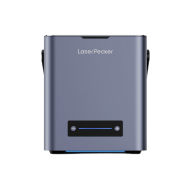
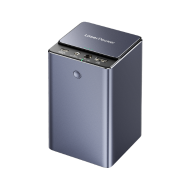
La découpe laser permet de réaliser des designs en papier très précis et complexes, difficiles à reproduire à la main. Elle est couramment utilisée dans la production de papeterie professionnelle, les œuvres décoratives, les maquettes architecturales en papier et les applications d'emballage commercial. Le procédé offre cohérence et évolutivité, aussi bien pour des prototypes uniques que pour une production en série.
Outils & matériaux nécessaires
- Machine de gravure laser
- Logiciel de conception (par exemple : LDS, LightBurn, RDWorks, CorelDRAW)
- Papier ou papier cartonné de haute qualité
Étapes pour découper du papier avec une machine de découpe laser
Étape 1 : Préparer votre design
Créez ou importez votre motif dans le logiciel de la machine laser.
Étape 2 : Installer le papier
Placez le papier à plat sur le plateau de la machine laser. Utilisez du ruban adhésif à faible adhérence ou des pinces si nécessaire pour éviter tout déplacement.
Étape 3 : Ajuster les paramètres du laser
Choisissez une faible puissance et une vitesse élevée afin d'éviter de brûler les bords.
Étape 4 : Découper le design
Lancez le processus de découpe laser et surveillez tout mouvement du papier ou toute trace de brûlure.
Étape 5 : Retirer et inspecter
Retirez soigneusement le papier et enlevez les éventuelles pièces découpées détachées.
Avantages & limites de la découpe du papier avec une machine de découpe laser
Avantages
- Découpes extrêmement précises et nettes
- Permet de créer des designs très détaillés et complexes
- Rapide et reproductible — idéal pour la production en série
Limites
- Nécessite l'accès à une machine de découpe laser (coût initial élevé)
Méthode 2 : Découper du papier avec un couteau de précision
Un couteau de précision (également appelé couteau de craft) offre une méthode manuelle contrôlée pour découper du papier et du papier cartonné. Il convient aux travaux détaillés, aux découpes internes et aux coupes droites nécessitant un meilleur contrôle que les ciseaux. Cette technique est largement utilisée dans les studios de design, les environnements éducatifs et les loisirs créatifs.
Outils & matériaux nécessaires
- Couteau de craft / couteau de précision (avec une lame bien affûtée)
- Tapis de découpe (auto-cicatrisant recommandé pour protéger les surfaces)
- Règle ou bord droit (le métal est préférable)
- Crayon (optionnel, pour marquer les lignes de coupe)
- Papier à découper
Étapes pour découper du papier avec un couteau de précision
Étape 1 : Préparer votre espace de travail
Placez le tapis de découpe sur une surface stable pour protéger votre table ou votre bureau.
Étape 2 : Marquer votre design
Utilisez un crayon pour esquisser légèrement ou marquer les lignes de coupe sur votre papier si nécessaire.
Étape 3 : Positionner la règle
Alignez la règle le long de la ligne de coupe pour guider votre couteau et obtenir une coupe droite.
Étape 4 : Découper avec le couteau de précision
Tenez fermement le couteau et utilisez une main stable pour couper le long de la ligne marquée, en appuyant fermement mais avec précaution.
Étape 5 : Répéter si nécessaire
Pour du papier plus épais, vous devrez peut-être effectuer plusieurs passages avec le couteau pour découper complètement.
Étape 6 : Finition et nettoyage
Soulevez délicatement le papier découpé du tapis. Remplacez la lame si elle devient émoussée afin d'obtenir les meilleurs résultats.
Avantages & limites de la découpe du papier avec un couteau de précision
Avantages
- Permet des découpes très précises et détaillées.
Limites
- Nécessite de la pratique pour éviter les erreurs ou les blessures.
- Plus lent que certaines méthodes automatisées.
- Ne convient pas pour de très grands volumes de découpe.
Méthode 3 : Découper du papier avec des ciseaux
Découper du papier avec des ciseaux est l'une des méthodes les plus simples et les plus accessibles. Elle convient bien aux formes de base, aux projets d'artisanat simples et aux tâches quotidiennes de découpe du papier. Comme les ciseaux sont largement disponibles et faciles à utiliser, cette méthode convient aussi bien aux enfants qu'aux adultes, à condition qu'une supervision appropriée soit assurée lorsque nécessaire.
Bien que les ciseaux ne soient pas idéaux pour les designs très complexes, ils offrent rapidité et commodité pour les découpes simples.
Outils & matériaux nécessaires
- Une paire de ciseaux bien aiguisés (de préférence avec une pointe fine pour plus de précision)
- Papier à découper
- Crayon (optionnel, pour tracer les lignes)/li>
Étapes
Étape 1 : Préparer votre papier :
Placez le papier sur une surface plane. Si nécessaire, dessinez légèrement la forme ou les lignes que vous souhaitez découper.
Étape 2 : Tenir correctement les ciseaux
Utilisez votre main dominante pour tenir les ciseaux, et l'autre main pour maintenir le papier en place.
Étape 3 : Commencer à couper
Commencez à couper le long de la ligne tracée ou du bord du papier. Pour des coupes droites, essayez de garder les ciseaux stables et d'utiliser des mouvements fluides et continus.
Étape 4 : Pour les courbes ou les formes
Ouvrez et fermez les ciseaux avec précaution, en tournant le papier avec votre main non coupante pour suivre les courbes avec précision.
Étape 5 : Terminer la découpe
Une fois terminé, vérifiez les bords et coupez les parties irrégulières si nécessaire.
Méthode 4 : Découper du papier avec une Cricut Maker
La Cricut Maker est une machine de découpe contrôlée par ordinateur conçue pour la découpe précise du papier et de multiples matériaux. Elle est largement utilisée par les créateurs, les amateurs, les petites entreprises et les studios de design qui ont besoin de résultats propres et reproductibles sans effort de découpe manuelle. La machine permet de découper avec précision des formes complexes, des designs superposés et des lettrages détaillés.
Outils & matériaux nécessaires
- Cricut Maker
- Pointe de gravure ou lame de coupe profonde
- Papier à découper (compatible avec les paramètres de découpe Cricut)
- Logiciel de conception (Cricut Design Space)
- Outils d'échenillage (optionnel, pour retirer les pièces en excès)
Étapes pour découper du papier avec une Cricut Maker
Étape 1 : Concevoir ou sélectionner un motif
Utilisez Cricut Design Space pour créer votre propre design ou choisir parmi des milliers de modèles préconçus.
Étape 2 : Préparer le papier et le tapis
Placez le papier sur le tapis de découpe en l'alignant comme indiqué dans les instructions du logiciel.
Étape 3 : Charger le tapis
Insérez le tapis dans la machine Cricut Maker et assurez-vous qu'il est correctement aligné.
Étape 4 : Définir les paramètres de découpe
Dans le logiciel, sélectionnez le type de matériau approprié afin de régler automatiquement la pression de la lame et la vitesse de découpe.
Étape 5 : Lancer la découpe
Envoyez le design à la machine et laissez-la découper le papier avec précision.
Étape 6 : Décharger et finaliser
Une fois la découpe terminée, retirez le tapis et enlevez délicatement votre papier découpé. Utilisez des outils d'échenillage pour retirer les petites pièces si nécessaire.
FAQ sur la découpe du papier
Q1. Le traitement laser est-il adapté aux matériaux en papier délicats ?
Oui, à condition que les paramètres soient soigneusement calibrés. Les machines de gravure laser permettent un contrôle précis de la puissance et de la vitesse, ce qui permet de séparer proprement les fibres du papier sans dommages thermiques excessifs.
Q2. Quelle épaisseur de papier peut être découpée avec une machine de gravure laser ?
La plupart des systèmes laser grand public et de bureau peuvent découper efficacement du papier standard et du papier cartonné jusqu'à environ 300–400 gsm. Les matériaux plus épais peuvent nécessiter des ajustements de paramètres ou plusieurs passes.
Q3. Comment réduire la décoloration des bords lors de la découpe laser du papier ?
L'optimisation de la mise au point du faisceau, l'augmentation de la vitesse de découpe et le maintien d'un flux d'air efficace permettent de réduire l'exposition thermique. Il est recommandé d'effectuer des tests de matériau avant la production.
Q4. La découpe laser du papier est-elle adaptée à une production commerciale ?
Oui. Les systèmes laser offrent une précision reproductible et une production constante, ce qui les rend adaptés aux applications commerciales en petites séries ou personnalisées, telles que les invitations, les prototypes d'emballage et les inserts décoratifs.
Q5. Existe-t-il des considérations de sécurité lors de l'utilisation d'une machine de gravure laser sur du papier ?
Le papier étant inflammable, une surveillance pendant le fonctionnement est essentielle. Les machines ne doivent pas être laissées sans surveillance, et un système d'extraction approprié ou des systèmes fermés doivent être utilisés pour gérer la fumée et les émanations.
Q6. Une machine de gravure laser peut-elle créer des œuvres en papier superposées ?
Oui. La découpe laser permet l'assemblage précis de plusieurs couches de papier pour créer des œuvres dimensionnelles. La capacité à reproduire des découpes identiques permet un alignement précis dans les designs multicouches.
Conclusion :
La technique optimale de découpe du papier dépend de la complexité du projet, des tolérances requises et de l'équipement disponible. Les outils manuels restent pratiques pour les applications artisanales simples, tandis que les systèmes de découpe numériques améliorent l'efficacité et la reproductibilité dans les projets plus avancés.
Lorsque la haute précision et les détails fins sont essentiels, les systèmes de traitement laser offrent un contrôle et une répétabilité supérieurs. Une évaluation attentive des exigences de conception et de l'échelle de production permettra de garantir que la méthode choisie offre des résultats constants et de haute qualité pour les créations en papier.





