
































































Engraved pencils are a simple but effective way to personalise everyday writing tools with creativity, branding, and individuality. Whether used for school supplies, wedding favours, corporate promotions, or handmade craft items, selecting the right engraving method directly affects both the final finish and the overall product quality.
In this guide, we introduce five practical ways to engrave pencils — from high-precision laser and CNC engraving to hands-on techniques like stamping and rotary engraving.
Each method comes with its own tools, workflows, and ideal applications, making them suitable for different creative projects and business needs. This guide is designed to help you choose the most suitable pencil engraving solution for your specific requirements.

In this article:
- Method 1: Engrave Pencils Using a Laser Engraving Machine
- Method 2: Engrave Pencils with a Rotary Tool
- Method 3: Engrave Pencils Using a Small CNC Machine
- Method 4: Engrave Pencils with Cricut Maker
- Method 5: Engrave Pencils via Stamping
- FAQs: Common Questions About Engraving Pencils
Method 1: Engrave Pencils with a Laser Engraving Machine
Laser engraving is the most accurate and scalable method for personalising pencils for gifts, branding, school use, and commercial production. It works by directing focused laser energy onto the surface of wooden or painted pencils, permanently etching clean and precise designs.
Across the EU, laser engraving is widely adopted by makers, schools, and small manufacturing businesses because it supports efficient batch production, consistent quality, and professional-grade results. This makes it ideal for both creative projects and commercial applications.
What You'll Need for Laser Engraving Pencils:
-
A laser engraving machine
Designed for high-precision marking and scalable production. -
Pencils with an engravable surface
Suitable pencil materials for laser engraving include wood, metal, acrylic, and coated plastic. These materials provide stable surfaces for precise laser marking and long-lasting engraved designs. -
Design and control software
Professional engraving requires reliable design and control software. Tools such as LightBurn and the LaserPecker Software & App enable accurate layout design, engraving parameter control, and stable production workflows.
Steps to Engrave a Pencil with a Laser Engraving Machine
Step 1: Design Your Layout
Create your design using engraving software by adding a name, phrase, or logo. Adjust the size to fit the pencil barrel, typically 5–8 mm in height, to ensure balanced proportions and legibility.
Step 2: Position the Pencil
Place the pencil securely on the laser bed. For round pencils, a rotary attachment helps maintain rotation and alignment. For hexagonal pencils, position them flat in a jig to prevent rolling during engraving.
Step 3: Set Engraving Parameters
Configure laser power, speed, and focus according to the pencil material. Different surfaces require different settings to achieve clean and precise engraving results.
Step 4: Preview the Engraving Area
Use the outline or framing tool to verify that the engraving area is correctly aligned with the pencil before starting the job.
Step 5: Start Engraving
Run the engraving process while monitoring stability and safety throughout the operation.
Step 6: Clean and Finish
WRemove residue and smoke marks with a soft cloth. Optional light sanding or surface finishing can improve the final appearance and tactile quality.
Pros and Cons of Laser Engraving a Pencil
👍Pros:
Laser engraving provides high-precision, professional-grade results suitable for both creative projects and commercial production.
It supports complex designs, including logos, text, serial numbers, and detailed graphics, with consistent output quality.
This method works across multiple materials such as wood, metal, acrylic, leather, and coated plastics.
Because it is a non-contact process, there is no physical pressure on the pencil, reducing the risk of surface damage or deformation.
👎Cons:
The initial cost of a laser engraving machine may be relatively high for beginners or small-scale users with limited budgets.
Method 2: Engrave Pencils with a Rotary Tool
Engraving pencils with a rotary tool is an affordable and hands-on method, ideal for DIY creators and hobby users. It is commonly used for personalising small quantities of wooden pencils with names, simple designs, or decorative patterns. While it does not offer the same precision as laser engraving, it delivers a distinctive handcrafted finish.
Required Tools:
- Rotary tool or electric engraving pencil
- Clamp, vise, or non-slip mat
- Pencil (preferably wooden or painted; avoid soft rubber coatings)
Steps to Engrave a Pencil with a Rotary Tool
Step 1: Plan and Mark Your Design
Draw the name, initials, or design directly onto the pencil using a fine marker or apply a stencil for guidance.
Step 2: Secure the Pencil
Fix the pencil using a soft-jawed vice or protective wrapping to prevent movement and surface damage.
Step 3: Choose the Engraving Bit
Use fine engraving bits. Diamond tips are suitable for detailed lines, while burr tips allow deeper carving.
Step 4: Start Engraving
Operate the rotary tool at a medium-to-high speed and follow the marked lines using controlled, steady pressure. Avoid forcing the tool into the material.
Step 5: Clean and Touch Up
Remove dust with a soft cloth. Optional paint or ink filling can improve visibility and contrast in the engraved areas.
Pros and Cons of Engraving a Pencil with a Rotary Tool
👍Pros:
This method is cost-effective and accessible, making it suitable for beginners and hobby users. It is ideal for personalised gifts and small creative projects that benefit from a handmade aesthetic.
👎Cons:
Rotary engraving offers lower precision compared to laser and CNC engraving. It requires manual skill, patience, and practice, and it is not suitable for large-scale production.
Method 3: Engrave Pencils with a Small CNC Machine
A small CNC machine provides precise, automated engraving through controlled cutting, making it ideal for producing deep, repeatable engravings on pencils. This method is widely used in makerspaces, small production workshops, and custom manufacturing environments where batch consistency is important. With appropriate clamping, CNC engraving works effectively on flat, round, and hexagonal wooden pencils.
Required Tools:
- Small CNC
- Custom pencil jig or clamp (to hold pencils securely)
- Wooden or painted pencils
Steps to Engrave a Pencil with a Small CNC Machine
Step 1: Create or Import the Design
Design your text or logo using CAD software and generate toolpaths with CAM software. Adjust the size to fit the pencil surface, typically around 5–8 mm in height, to ensure clarity and proportional balance.
Step 2: Secure the Pencil
Fix the pencil in a custom jig, rotary attachment, or soft clamp to prevent movement. For round pencils, a rotary fixture or V-block can improve stability and alignment.
Step 3: Select the Bit and Machine Settings
Install a fine engraving bit. Set spindle speed, feed rate, and depth of cut according to material.
Step 4: Test and Align
Run a test pass on scrap wood or a spare pencil. Use the CNC zeroing function to ensure accurate alignment before starting the main job.
Step 5: Start Engraving
Launch the engraving process and monitor performance, checking for accuracy, tool wear, and smooth cutting throughout the operation.
Pros and Cons of Engraving a Pencil with CNC Machine
👍Pros:
CNC engraving delivers high precision, consistency, and deep engraving capability, making it suitable for professional production and product branding.
👎Cons:
It requires technical knowledge of CNC systems and design software. Setup and alignment take time, and this method is not ideal for quick jobs or single-item customisation.
Method 4: Engrave Pencils with Cricut Maker
The Cricut Maker, widely used for cutting paper, vinyl, and leather, can also perform light surface engraving on soft-coated materials using its engraving tip. While this process creates surface etching rather than true engraving, it produces decorative and personalised results—particularly on painted and foil-coated pencils.
Required Tools:
- Cricut Maker
- Adhesive (e.g., painter's tape or glue dots) to hold the pencil in place
- Pencils with soft coatings (e.g., painted or foil-wrapped pencils; not raw wood)
Steps to Engrave a Pencil with Cricut Maker
Step 1: Create Your Design
Open Cricut Design Space and design your name, logo, or text. Keep it small (approx. 5–8 mm high) and set it to “Engrave” as the operation type.
Step 2: Prepare the Mat
Place the pencil on the StrongGrip mat. Use tape or glue dots to keep it from shifting. Flat or hexagonal pencils work best for this.
Step 3: Align and Frame the Are
Use the grid in Design Space to align your design to the pencil's position on the mat.
Step 4: Start Engraving
Click “Make It” and let the Cricut lightly etch the design into the pencil coating. Monitor to ensure the pencil stays in place.
Step 5: Clean the Surface
Gently wipe the pencil to remove dust or flakes. Optionally, fill in the engraving with paint or metallic marker for better visibility.
Pros and Cons of Engraving a Pencil Using a Cricut Maker
👍Pros:
This method is simple and accessible for home users and Cricut enthusiasts. It is well suited for decorative crafts and personalised projects carried out in a home environment.
👎Cons:
It only produces surface etching rather than deep engraving. It is not compatible with bare wooden pencils and does not perform well on curved surfaces.
Method 5: Engrave Pencils via Stamping
Stamping is a traditional and reliable method for marking pencils with names, logos, or serial numbers, commonly used in industrial and mass-production settings.
The process involves striking a metal stamp into the pencil surface to create a permanent, embossed impression. It is best suited for flat or hexagonal wooden pencils that provide stable stamping surfaces.
Required Tools:
- Metal letter or logo stamp set
- Hammer or mallet (preferably brass or dead blow)
- Pencil (wooden and uncoated or lightly coated are ideal)
Steps to Engrave a Pencil via Stamping
Step 1: Choose and Align the Stamp
Select the appropriate letter or logo stamp. Position it on the flat side of the pencil where you want the mark to appear.
Step 2: Secure the Pencil
Lay the pencil flat on a hard surface or stamping block. Optionally, use a jig or clamp to keep it from moving.
Step 3: Strike the Stamp
Hold the stamp vertically and strike it firmly with a hammer. A single, controlled hit gives the best results. Repeat for each letter if stamping by hand.
Pros and Cons of Engraving Pencils via Stamping
👍Pros:
Stamping requires no electricity or digital tools and produces permanent, deep markings. It works particularly well on flat and hexagonal wooden pencils and is suitable for industrial marking applications.
👎Cons:
It is not suitable for round pencils without special fixtures. Excessive impact force can cause cracking or breakage in soft or brittle pencil materials.
FAQs: Popular Questions About Engraving Pencils
1. What is pencil engraving?
Pencil engraving is the process of permanently etching or carving text, designs, names, or patterns onto the surface of a pencil using mechanical, laser, or manual engraving methods.
2. What types of pencils can be engraved?
Wooden pencils are the most commonly engraved. Painted, coated, and foil-covered pencils are also suitable for certain engraving techniques. Plastic and mechanical pencils may require specialised methods.
3. What is the difference between pencil engraving and embossing?
Engraving creates recessed markings by removing material, while embossing forms raised designs by pushing material upward from the surface.
4. How to engrave a name on a pencil?
Names can be engraved using laser engraving machines, CNC systems, rotary tools, stamping tools, or manual engraving techniques. Digital methods involve designing the text and engraving it directly onto the pencil surface.
5. What tools are needed to engrave pencils?
Typical equipment includes engraving machines, rotary tools, metal stamps, engraving software, clamping tools, cleaning supplies, and basic safety equipment.
6. Is pencil engraving permanent?
Yes. Engraved markings are permanent and durable, making them suitable for long-term use and commercial applications.
7. Can the same design be engraved on multiple pencils?
Yes. Machine-based engraving methods allow for batch production, enabling consistent engraving across multiple pencils.
8. Are there limitations on engraving designs?
Design limitations depend on the method and equipment used. Most engraving techniques support logos, text, serial numbers, and patterns, but very fine details require high-precision systems.
9. What are popular uses for engraved pencils?
Engraved pencils are commonly used as personalised gifts, promotional items, school supplies, branded stationery, and customised craft products.
10. How can pencils be personalised for gifting?
Pencils can be personalised by engraving names, messages, logos, or meaningful symbols, creating unique and thoughtful personalised gifts.
Conclusion
Engraving pencils offers a creative and effective way to personalise everyday products for gifting, branding, education, and creative projects. Each engraving technique provides distinct benefits depending on your production needs and creative goals.
- Laser engraving is ideal for fast, clean, and professional-quality results.
- Rotary tools are perfect for hands-on, DIY-style customisation.
- CNC machines deliver precision and consistency for small-scale production.
- Cricut engraving adds a decorative finish to coated and painted pencils.
- Stamping provides a traditional, durable solution for bulk marking and industrial use.
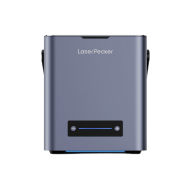
For users across the EU, laser engraving stands out as the most reliable and scalable method for engraving pencils, particularly when precision, repeatability, and workflow efficiency are required. A compact system such as the the LaserPecker LP2 Plus 10W diode laser engraver offers an excellent balance between performance and portability, making it suitable for hobbyists, makerspaces, and small production setups.
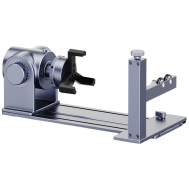
When used together with the the versatile electric roller, pencils can be engraved with automatic rotation, enabling consistent, evenly aligned markings around the entire surface. This setup greatly improves engraving speed while ensuring uniform depth and clarity—an important advantage for batch engraving, educational projects, or personalised product lines.
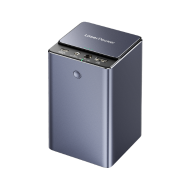
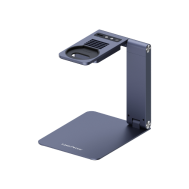
To support indoor and shared work environments, the the standard safety enclosure helps contain the engraving area and minimise external interference. In combination with an air purifier, smoke and fine engraving residues are efficiently filtered, allowing the system to be used comfortably in studios, workshops, or office settings without compromising air quality.
With a well-matched laser engraver and supporting accessories, pencil engraving becomes a streamlined, repeatable process—transforming simple stationery items into refined, professional-quality personalised products suitable for creative, educational, and commercial applications.



