
































































Engraved bricks are a timeless solution for personalisation, memorial projects, public installations, and long-lasting decorative applications. From commemorating meaningful moments to creating engraved messages for public spaces and gardens, brick engraving offers durability, permanence, and visual impact.
In this guide, we present four practical methods for engraving bricks — ranging from high-precision engraving technologies to accessible DIY techniques — so you can choose the most suitable approach based on your project requirements, budget, and scale of production.

In this article:
- Method 1: Engrave Bricks with a Laser Engraving Machine
- Method 2: Engrave Bricks with Rotary Tool or Engraving Pen
- Method 3: Engrave Bricks via Sandblasting
- Method 4: Engrave Bricks via a CNC Machine
- FAQs: Hot Questions About Engraving Bricks
Method 1: Engrave Bricks with a Laser Engraving Machine
Laser engraving on brick—similar to deep engraving on stone and provides a precise and clean method for personalising or permanently marking brick surfaces.
It is widely used for memorial bricks, decorative paving bricks, fundraising installations, and architectural applications. High-powered fibre laser systems engrave by removing the surface layer or modifying the brick's colour structure, producing durable, high-contrast engraved results.
What You'll Need for Laser Engraving Bricks
- A Fiber laser engraving machine
- Clay or concrete bricks (preferably with a flat, smooth surface)
- Design software (e.g., LightBurn, LaserPecker Software & App)
Steps to Laser Engrave a Brick
Step 1: Design Your Artwork
Create or import your design and scale it to match the available engraving area on the brick. Simple, high-contrast designs tend to produce clearer results on rough surfaces.
Step 2: Choose a Suitable Laser Engraver for Brick Engraving
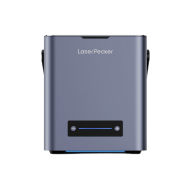
Engraving bricks requires a laser engraver with sufficient power and stability to handle hard, uneven surfaces. Fibre laser machines such as the the LaserPecker LP5 are well suited for this task, as they offer strong engraving performance, high speed, and consistent output on dense materials.
Why the LaserPecker LP5 works well for engraving bricks:
- Wide engraving capability: Supports engraving of text, logos, QR codes, patterns, and custom graphics with consistent clarity.
- High power output: Equipped with a 20W fibre laser, enabling deeper, more pronounced engravings on brick surfaces compared to lower-power systems.
- Fast engraving speed: Engraving speeds of up to 10,000 mm/s, improving efficiency for both single pieces and batch projects.
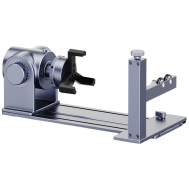
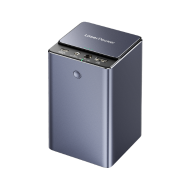
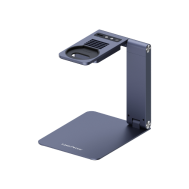
- Rich accessory ecosystem: Compatible with slide extensions, enclosures, and other add-ons that improve stability, safety, and workflow when engraving large or heavy materials.
Step 3: Position the Brick
Place the brick on the laser bed and ensure it is level and stable. Use spacers or supports if necessary to prevent movement.
Step 4: Adjust Laser Settings
Set the appropriate power, speed, and focus height according to the brick material. Always test on a spare brick before final engraving.
Step 5: Preview the Area
Use the frame or outline function to check alignment and positioning. Make fine adjustments as required.
Step 6: Start Engraving
Begin the engraving process and monitor for dust, smoke, or fire risk. Use air assist and proper ventilation where available.
Step 7: Post-Engraving Clean-up
After engraving, remove surface dust and soot. Optionally apply a sealant to improve long-term durability and appearance.
Advantages and Limitations of Laser Engraving a Brick
👍Advantages:
High precision with clean, sharp engraving lines
Ideal for detailed logos, text, and fine graphics
Non-contact process reduces the risk of surface cracking or material damage
👎Limitations:
High equipment investment cost
Higher equipment and setup costs
Method 2: Engrave Bricks with a Rotary Tool or Engraving Pen
Engraving bricks with a rotary tool or electric engraving pen is an accessible and cost-effective DIY method. It is well suited for personalised garden markers, decorative signage, artistic brick projects, and small custom installations. While slower than automated engraving systems, this method provides maximum creative freedom and flexibility.
Required Tools:
- Rotary tool or electric engraving pen
- Brick (clay, concrete, or stone-based; preferably smooth surface)
- Clamp, vise, or non-slip mat
- Polishing cloth or fine sandpaper
Steps to Engrave a Brick with a Rotary Tool
Step 1: Plan Your Design
Draw directly on the brick with a marker or place a stencil over it.
Step 2: Secure the Brick
Use a clamp, vise, or rubber mat to hold the brick steady and prevent slipping.
Step 3: Select and Install the Right Bit
Use a diamond burr or carbide tip designed for hard surfaces like stone or concrete.
Step 4: Begin Engraving
Hold the tool like a pen and gently trace your design. Use light pressure and work slowly to control the cut.
Step 5: Clean Up
Brush off the dust and wipe the engraved area with a damp cloth.
Advantages and Limitations of Engraving a Brick with a Rotary Tool
👍Advantages:
Affordable and accessible method
Minimal equipment requirements
👎Limitations:
Labour-intensive and time-consuming
Not suitable for fine-detail engraving
Low efficiency for batch production
Method 3: Engrave Bricks via Sandblasting
Sandblasting is a professional and industry-standard technique for engraving bricks, widely used in outdoor environments such as memorial sites, donor walkways, public installations, and landscape architecture projects. The process uses high-pressure abrasive media to remove exposed surface material through a stencil mask, creating deep, durable, and weather-resistant engravings.
Required Tools:
- Sandblasting cabinet or sandblasting gun + air compressor
- Abrasive media
- Bricks (preferably smooth-surfaced clay or concrete bricks)
- Vinyl stencil or rubber resist mask
- Transfer tape (for applying stencil)
Steps to Engrave Bricks via Sandblasting
Step 1: Prepare Your Design
Use a vinyl cutter (like a Cricut) to create a stencil from sandblast-resistant material.
Step 2: Apply the Stencil
Transfer the stencil onto the brick surface. Make sure the edges are fully sealed to prevent blow-under.
Step 3: Mask the Rest of the Brick
Cover any area that should remain untouched using masking tape or extra stencil material.
Step 4: Set Up the Sandblaster
Load the abrasive media into your sandblaster and adjust the air pressure (usually between 60–100 PSI).
Step 5: Begin Sandblasting
Wearing full protective gear, blast the exposed areas in short bursts until the desired depth is achieved.
Step 6: Clean and Finish
Remove the stencil and dust. Clean the brick thoroughly. Optionally, apply a sealer for durability.
Advantages and Limitations of Engraving Bricks via Sandblasting
👍Advantages:
Deep, long-lasting engraving
Suitable for large-scale production projects
👎Limitations:
Requires a sandblasting setup and safety precautions
Strict safety and protective measures required
Messy process requiring controlled or outdoor working space
Method 4: Engrave Bricks via a CNC Machine
CNC engraving is a precise and industrial-grade method for engraving bricks, suitable for detailed patterns, uniform text, and scalable production. The CNC router removes material using a rotating cutting tool, producing deep, durable engravings for architectural, memorial, and public-space applications.
Required Tools:
- CNC machine
- Brick (clay or concrete, preferably flat and smooth)
- Design & CAM software
- Clamp, vacuum table, or jig to hold the brick
Steps to Engrave a Brick Using a CNC Machine
Step 1: Create Your Design
Use design software to create or import your engraving layout. Convert it to toolpaths in CAM software with appropriate depth and passes.
Step 2: Secure the Brick
Clamp the brick firmly to the CNC bed or use a custom jig to hold it in place. Ensure it's perfectly level.
Step 3: Install and Set the Bit
Insert a durable engraving bit suitable for masonry. Set the origin point and zero the bit to the brick surface.
Step 4: Set Parameters
Adjust speed, feed rate, plunge depth, and number of passes according to the brick material and bit type. Always test on a spare brick first.
Step 5: Start the Job
Run the CNC job and monitor for vibrations or tool wear. Use a dust collector or vacuum to manage debris.
Step 6: Post-Processing
Once complete, clean the surface and remove any dust. Optionally seal the engraved area for outdoor durability.
Advantages and Limitations of Engraving Bricks via a CNC Machine
👍Advantages:
High engraving accuracy and consistency
Professional-grade finish for commercial projects
👎Limitations:
Requires CNC knowledge and setup time
Generates significant dust and noise
FAQs: Hot Questions About Engraving Bricks
1. What are engraved bricks typically used for?
Engraved bricks are commonly used for memorial projects, fundraising initiatives, commemorative pathways, garden installations, public spaces, and personalised gifts.
2. Which materials are suitable for engraving bricks?
Clay and concrete bricks are the most suitable materials due to their durability and compatibility with multiple engraving methods.
3. What designs or messages can be engraved on bricks?
Common engravings include names, dates, quotes, logos, symbols, and memorial messages. Custom designs are also widely used for public and fundraising projects.
4. What is the lifespan of engraved bricks?
Engraved bricks, when properly installed and maintained, can endure for decades, often remaining legible and intact for 50 years or more, depending on the environmental conditions.
5. Are there limitations in the size or font of the engraving?
While there might be practical limitations based on the size and surface area of the brick, modern engraving techniques often allow for a wide range of font styles and sizes.
6. How weather-resistant are engraved bricks?
Engraved bricks are generally weather-resistant, especially when sealed or coated appropriately. Proper sealing can protect the engravings from elements like rain, snow, and UV rays.
7. Can previously laid bricks be engraved?
Yes, previously laid bricks can often be engraved, although it might require specialized equipment or techniques. However, it's typically easier to engrave bricks before they are laid in a structure or pathway.
8. What's the difference between laser and mechanical engraving of bricks?
Laser engraving uses high-precision lasers to etch designs, providing intricate detailing. Mechanical engraving involves physically cutting or carving the brick's surface using tools, providing a more handcrafted appearance.
9. Can engraved bricks be customized for specific fundraising campaigns?
Absolutely, engraved bricks are commonly used in fundraising campaigns. Organizations often sell personalized bricks as a way to raise funds for specific causes, allowing donors to leave a lasting mark.
10. How should engraved bricks be maintained over time?
Routine cleaning and periodic application of protective sealants help preserve engraving quality. Regular inspections are recommended for outdoor installations.
Conclusion
Brick engraving provides versatile solutions for both decorative and functional applications. Laser engraving is ideal for precision and visual detail, while sandblasting and CNC machining deliver professional durability for outdoor and public installations. Rotary engraving methods offer creative flexibility for personalised and artistic projects.
By selecting the appropriate technique, engraved bricks become long-lasting symbols of memory, identity, and community — transforming simple materials into meaningful, permanent structures.



